Posts

Showing posts with the label Certified Microsoft training

Get Acquainted with New Microsoft Office 365 Security Capabilities

With organizations moving towards cloud-hosted business applications, demand for IT professionals possessing the transitioning and administering expertise is on the highest. Security concerns also tend to pose difficulty on the decision makers. Due to increased instances of cyber attacks and ransomware infections, a business is always prone to risks and threats. Considering the security concerns, Microsoft has introduced several security features and capabilities to make Office 365 more secure and prepare the organizations for protection against risks of intrusion and accidental data loss. Need for Enhanced security features Earlier Microsoft office 365 security front was being catered through Office 365 Exchange Online Protection (EOP). The EOP being signature-based antimalware product targets the messages with known signatures to identify spam, phishing, virus etc. and deliver the utmost protection. Microsoft felt the need to add on security features as EOP was not enough to sa...

5 Microsoft Exchange Tools You Should Know How to Use for Maximized Performance

Image
If you are an IT developer working with the Microsoft Exchange, then you must be dealing and working with a host of tools. But sometimes, amongst a substantial number, IT admins do lose track of which are the best tools for a certain task, or do not use a tool or feature at all. This causes reduced performance and increased workload. Below, we have outlined some of the best MS Exchange tools which every IT admin should be proficient in, to get the most out of the Microsoft email-server: MS Exchange Server Deployment Assistant This is a must-use tool when you are deploying the Exchange Server 2010 or 2013. It provides options to choose the Exchange Server option, and then the deployment type, which can be on-premises, cloud only, or hybrid installation. By answering a few deployment related questions, the platform enables a step-by-step custom installation. This helps in configuring the Exchange Server exactly the same way you want. Remote Connectivity Analyzer It c...

Using Office 365 for Driving Business Productivity

Image
Microsoft Office 365 provides cloud-based work environment to the worldwide organization. When using this software application, business productivity is guaranteed to every organization. Since its stable release in October 2015, Office 365 has outsmarted all the other cloud providers and stays top in marketplace. Also, most of the business data are stored in the Microsoft’s cloud space, OneDrive. Explore more with the help of professional  Microsoft Office 365 Training . Here are the top benefits provided by Office 365 for business enterprises. Provides data security For running a successful business, secured data and its integrity is very important. With Microsoft Office 365, organizations need not worry about data security as the software tools and features are designed to keep the data highly secured. Moving most of the data to cloud, helps the organization to save a lot of space and to provide restricted access. If you subscribe for this software application, Microsof...

Learn How to Transition from Windows 7 to Windows 10

Image
When a new product update for your current product is available in the marketplace, it is always wise to perform some in-depth research before you license it. Likewise, if you are using the Microsoft Windows 7 operating system and would like to upgrade to Windows 10, this article will help you learn the differences between the two operating systems. To learn more about each OS, you can join the highly professional Windows 7 and Windows 10 Training OS conducted by NetCom Learning. Read further to learn the differences between the two operating systems. Microsoft Account Once you upgrade to Windows 10, the OS will prompt you to sign into Microsoft accounts. This is used to log on to other Microsoft services, like OneDrive, Windows Store, etc. However, this is optional. During the Windows 7 upgrade, the OS will prompt you to sign into your Microsoft account optionally. However, Microsoft services available for use with Windows 7 are very limited. Start Menu Windows 10’s Sta...

Differences Between Microsoft Windows Server 2012 and 2016

Image
Microsoft releases Windows Server versions every four years, and until now it has released Windows Server 2003, 2008, 2012, and 2016. As time goes by, technologies are updated and IT companies must try to adapt to the new technologies to stay current. In this way, they can stay on top in the marketplace and gain a competitive advantage. However, not all companies can afford to upgrade to the new versions. So learning the latest and the second latest software is always recommended. Explore Windows Server 2016 and 2012 Training to find out more. Learning the differences between Windows Server 2016 and 2012 is very important when your company is on the verge of upgrading from Windows Server 2012 to 2016.  Often businesses upgrade their Windows Servers gradually, so there may be one department using Windows Server 2012 while others will be using the upgraded Windows Server 2016. In this article, we will be discussing a few differences between Windows Server 2016 and 2012 R2. ...

What are the Benefits of Microsoft SQL Server 2016 Certification?

Image
Are you thinking about pursuing Microsoft SQL Server 2016 certification but want to know its benefits? If so, you have reached the right place, as this article will walk you through the benefits that professionals can receive. Spending time and money on MS SQL Server 2016 certifications is a sound investment. As a Microsoft SQL Server 2016 certified candidate, you will stand out from the crowd. Join the professional  Microsoft SQL Server 2016 Training  to know more. Read further to learn about the benefits of the Microsoft SQL Server 2016 certification   program. Demonstrates your expertise to employers The job recruitment process starts with a perfectly written resume. Listing a MS SQL Server 2016 certification credential on your resume affords you a professional advantage that adds value for both experienced professionals and entry-level workers. Employers know that a certified candidate will possess superior knowledge about the new functionalities. They ...

How to Master the Microsoft SharePoint 2016 Training & Certification Program

Image
Have you been working in SharePoint for quite some time but seem to be in a rut? Or are you worried about your stagnating paycheck? If that’s a yes, it’s high time you joined the  Microsoft SharePoint 2016  training &   certification program. Microsoft SharePoint training & certification validates an IT professional’s skills to manage and collaborate with global organizations. It drives professionals to make timely decisions for implementing organizational policies and custom solutions. NetCom Learning provides professional training in SharePoint 2016 for administrators, developers, engineers, analysts, and others. Why investigate the Microsoft SharePoint 2016 training & certification program? IT professionals working in SharePoint and Non-SharePoint environments, along with professionals from non-IT backgrounds, can benefit from becoming Microsoft SharePoint certified. A variety of   MS   SharePoint 2016  courses are available, s...

Change the Learning Culture with MOC On-Demand Self Instructed Training

Image
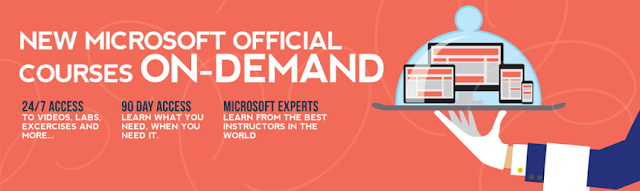
The era is changing and E-learning is becoming most popular nowadays. This MOC On-Demand course is a perfect solution & a qualitative alternative for the IT professionals with busy schedules. MOC On-Demand will help you to enhance your competencies with video based learning that gives you the flexibility to learn wherever and whenever you want to. It offers a real-time environment for hands-on training and will allow you to become a self-instructor. Busy Learners, save your time Microsoft Official Courses On-Demand is brought to you by the people who wrote the software. The content is based on the same official course-ware we use in our instructor-led training, and videos feature engaging experts selected by Microsoft. It will help you in enhancing your skills on Microsoft technologies, minimizing project downtime by allowing your employees to train wherever they are, as their schedules allow. Now your workforce can focus on what they don’t know, or what they n...